Why it stands out
Best for
Not ideal for
Shop with confidence
Why buy from EMiUZEK
We help you choose, connect and maintain your system—not just ship a box.
- Authentic products
- Compatibility guidance
- Fast tracked shipping
- Firmware and driver support
- Clear warranty process
- Responsive after-sales help
Setup guide
How to connect
What you should know
EMiUZEK buying notes
Frequently asked questions
View full technical specifications
Official product information provided by sonos
The following product descriptions, specifications and images are provided by the manufacturer.
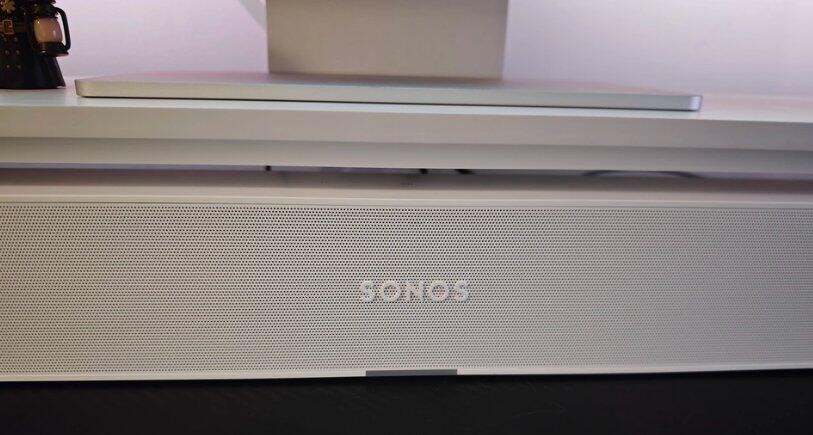
Improve television dialogue and everyday sound in a compact room with Sonos Ray. Its optical input suits straightforward TV setups, while WiFi, AirPlay 2 and the Sonos app add music streaming and multiroom playback.
Why it stands out
Compact TV upgrade
A small cabinet fits bedrooms, offices and secondary TVs.
Optical simplicity
One optical cable handles compatible TV audio without HDMI setup.
Dialogue-focused design
Centre-oriented acoustic processing improves speech clarity.
Expandable Sonos system
Add compatible surrounds and a Sonos Sub later.
Best for
- Bedrooms and small rooms
- TVs with optical output
- Dialogue improvement
- Sonos multiroom music
- Buyers not needing Dolby Atmos
Not ideal for
- Dolby Atmos content
- HDMI ARC/eARC control
- Bluetooth audio
- Large-room cinema output


EMiUZEK Buying Notes
- Ray requires an optical TV output; it has no HDMI port.
- TV remote control may require IR setup in the Sonos app.
- For Atmos or HDMI eARC, choose Beam Gen 2 or Arc Ultra.
FAQ
Does Ray support HDMI ARC?
No. It connects to the TV by optical audio.
Does it support Dolby Atmos?
No.
Can my TV remote control volume?
Ray can learn compatible infrared remote commands.
Does it have Bluetooth?
No Bluetooth audio input is listed.
Can I add surrounds?
Yes, using a compatible matching pair of Sonos speakers.
Can I add a subwoofer?
Yes, with a compatible Sonos Sub model.
Can it stream music?
Yes, over WiFi through Sonos services and AirPlay 2.
Does Trueplay work?
Yes, with a supported iOS device.
HOW TO CONNECT
- Optical TV — Connect the included/compatible optical cable from TV to Ray.
- WiFi — Add Ray in the Sonos app for streaming and system control.
- Apple AirPlay 2 — Select Ray from a compatible Apple device’s AirPlay menu.
Technical Specifications
| Feature | Specification |
|---|---|
| Product type | Compact soundbar |
| TV input | Optical digital audio |
| HDMI | Not supported |
| Dolby Atmos | Not supported |
| Wireless | WiFi; Apple AirPlay 2 |
| Bluetooth | Not supported |
| Room tuning | Trueplay with supported iOS device |
| Remote control | IR remote learning |
| Expansion | Compatible surrounds and Sonos Sub |
| Ethernet | 10/100 |
| Colours | Black; white |
| Use | Indoor |
Additional Product Content
Comparison: choose the right product
| Decision point | Sonos Ray | Sonos Beam Gen 2 |
|---|---|---|
| TV connection | Optical | HDMI eARC/ARC |
| Dolby Atmos | No | Yes |
| Room scale | Small | Small to medium |
| Best when | You need simple optical TV audio | You want Atmos and HDMI control |
What's in the box, manuals and downloads
Shipping, warranty and returns
Worldwide Tracked Shipping
We provide tracked international shipping with delivery options and estimated delivery times shown during checkout.
Official Warranty Support
All products sold by EMIUZEK are genuine products with manufacturer warranty support.
Our HiFi specialists provide assistance with compatibility, setup, and technical questions.
Easy Returns
Eligible returns are available according to our return policy.
Please contact EMIUZEK before returning any product so we can provide assistance.