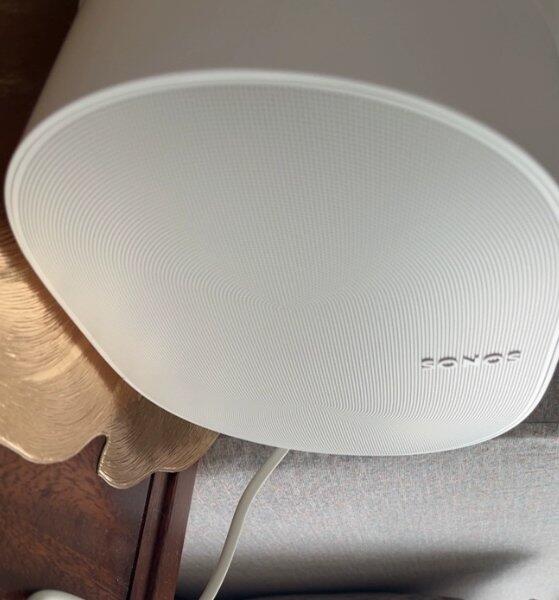
Why it stands out
Best for
Not ideal for
Shop with confidence
Why buy from EMiUZEK
We help you choose, connect and maintain your system—not just ship a box.
- Authentic products
- Compatibility guidance
- Fast tracked shipping
- Firmware and driver support
- Clear warranty process
- Responsive after-sales help
Setup guide
How to connect
What you should know
EMiUZEK buying notes
Frequently asked questions
View full technical specifications
Official product information provided by sonos
The following product descriptions, specifications and images are provided by the manufacturer.
Experience spatial music and immersive home-theatre surrounds with Sonos Era 300. Six Class-D amplifiers drive four tweeters and two woofers in a directional acoustic array designed for Dolby Atmos, while WiFi, Bluetooth and optional USB-C line-in expand source choice.
Why it stands out
Designed for Dolby Atmos
Directional front, side and upward drivers create a spacious spatial-audio field.
Six-driver architecture
Four tweeters and two woofers balance detail, dispersion and low-frequency weight.
Premium Sonos surrounds
A pair can provide multi-channel rear surround sound with Arc or Beam Gen 2.
Flexible connectivity
Use WiFi, Bluetooth 5.3, AirPlay 2 or USB-C line-in with a separately sold adapter.
Best for
- Spatial music
- Dolby Atmos rear surrounds
- Medium and large rooms
- Stereo pairs
- WiFi and Bluetooth listening
Not ideal for
- Small shelves with restricted side/upward clearance
- Direct 3.5 mm input without adapter
- Battery-powered portability
- Buyers who only need compact conventional stereo


EMiUZEK Buying Notes
- Dolby Atmos availability depends on service, content and source path.
- USB-C analogue line-in and Ethernet require separately sold Sonos adapters.
- For home theatre, use two matching Era 300 speakers as surrounds.
FAQ
Does it play Dolby Atmos music?
Yes, from supported services and source paths.
Can it use Bluetooth?
Yes. Sonos lists Bluetooth 5.3.
Does it have line-in?
Yes through USB-C with a separately sold Sonos Line-In Adapter.
Can one Era 300 be a surround?
Sonos home-theatre surround configurations use a matching pair.
Does it support AirPlay 2?
Yes, from compatible Apple devices.
Can I turn off microphones?
Yes. A rear switch disconnects the microphone hardware.
Does Trueplay work on Android?
Quick Tuning supports iOS and Android; advanced tuning availability differs by device.
Can it be placed inside a cabinet?
Avoid blocking side and upward drivers; open placement is important.
HOW TO CONNECT
- WiFi — Add Era 300 in the Sonos app for streaming and grouping.
- Bluetooth 5.3 — Press the rear Bluetooth button and pair a source.
- USB-C line-in — Use the Sonos Line-In Adapter for a compatible analogue source.
Technical Specifications
| Feature | Specification |
|---|---|
| Amplifiers | Six Class-D digital |
| Tweeters | Four directional tweeters |
| Woofers | Two high-performance woofers |
| Spatial audio | Dolby Atmos |
| WiFi | 802.11a/b/g/n/ac/ax, 2.4/5 GHz |
| Bluetooth | 5.3 |
| USB-C | Line-in or Ethernet with separately sold adapter |
| AirPlay | Apple AirPlay 2 |
| Trueplay | Quick and advanced tuning, device dependent |
| Voice | Sonos Voice Control and Amazon Alexa where available |
| Power | 100–240 V, 50/60 Hz |
| Dimensions | 160 × 260 × 185 mm |
| Weight | 4.47 kg |
| Colours | Black; white |
Additional Product Content
Comparison: choose the right product
| Decision point | Sonos Era 300 | Apple HomePod (2nd gen) |
|---|---|---|
| Spatial audio | Dolby Atmos music and Sonos Atmos surrounds | Apple Music Spatial Audio |
| Bluetooth playback | Yes | No conventional Bluetooth playback |
| Home-theatre role | Pairs as surrounds with compatible Sonos soundbars | Pairs with Apple TV 4K in Apple ecosystem |
| Best when | You want cross-platform Sonos expansion | You use an Apple-focused home |
What's in the box, manuals and downloads
Shipping, warranty and returns
Worldwide Tracked Shipping
We provide tracked international shipping with delivery options and estimated delivery times shown during checkout.
Official Warranty Support
All products sold by EMIUZEK are genuine products with manufacturer warranty support.
Our HiFi specialists provide assistance with compatibility, setup, and technical questions.
Easy Returns
Eligible returns are available according to our return policy.
Please contact EMIUZEK before returning any product so we can provide assistance.