
DAC Digital Filters Explained: Fast, Slow Roll-Off & Phase
, by EMiUZEK Editorial Team, 6 min reading time
Learn what DAC digital filters change, how fast, slow and phase modes differ, and whether you should switch from the default setting.
DAC digital filters are part of how a converter reconstructs analog audio from digital samples and suppresses unwanted ultrasonic images. “Fast,” “slow,” “linear phase” and “minimum phase” describe different engineering compromises, not a reliable ranking from bad sound to good sound. For most listeners, the sensible starting point is the DAC’s default or a well-measured sharp filter. Try other settings only if you can compare them at matched levels and you prefer the result; do not expect a filter to transform the sound like equalization or a headphone change.

A digital audio file stores samples at fixed time intervals. A DAC turns those samples into an analog waveform, and the conversion process produces repeated spectral images above the audio band. Interpolation and reconstruction filtering reduce those images before they can create unwanted ultrasonic energy in the analog output. The filter is therefore part of normal conversion, not an optional sound effect bolted onto an otherwise complete signal.
Modern DAC chips commonly offer several filter responses. A menu may expose only a subset, and different brands can use similar names for filters with different measured behavior. The name is a clue, not a universal specification. If you want to know exactly what a mode does, consult the DAC or chip documentation for its response and test conditions.
Roll-off describes how quickly a filter attenuates frequencies around its transition band. A fast or sharp filter generally preserves the passband closer to the upper limit before dropping more steeply. A slow filter begins the transition more gradually and may trade some near-band attenuation for a gentler response. The actual frequency response depends on the sample rate and implementation, so “slow” does not automatically mean a warm sound, and “fast” does not automatically mean more detail.
For ordinary 44.1 kHz music, the transition lies near the top of the theoretical audio band. Some slow filters may show a small response change close to the upper audible frequencies; others keep changes effectively outside what most people hear. A filter’s plotted ultrasonic response is not itself proof that a listener will hear a difference. The exact DAC response and listening conditions matter.
Phase describes how a system shifts the timing relationship among frequency components. A linear-phase digital filter keeps that relationship consistent through its passband, but its impulse response can show energy before and after the main impulse. A minimum-phase filter avoids pre-ringing in its impulse response, while its phase response changes with frequency and its energy follows the impulse. Those are measurable time-domain and phase trade-offs; they are not literal echoes added to music.
Do not interpret a plotted pre-ringing pulse as a sound that must be audible before a drum hit. Test signals make filter behavior visible, while real recordings, playback level, the recording chain and hearing determine audibility. The recording and mastering chain may also include filters of its own before the file reaches your DAC.
Some filters differ mainly outside the audible band; others make a measurable response or phase change near the top of the band. If two settings are otherwise implemented well, any audible difference is usually subtle and should be judged by listening or measurement for that specific DAC. Subjective reports in audio forums are mixed: some listeners report a preference, while others hear no difference. Neither kind of report establishes a universal outcome.
Also separate a DAC’s digital filter from EQ, loudness processing and room correction. Filters used for reconstruction are not intended to correct a headphone’s tonal balance. If you want less treble or more bass, a properly configured equalizer is the direct tool. If you want to check whether a filter mode changes the frequency response, look for measurements made on the same device and at the same sample rate.
If you cannot reliably tell the modes apart, leave the default enabled and spend your attention elsewhere. A well-recorded track, comfortable fit, speaker placement and safe listening level have more practical impact for many systems.
Usually, no special change is required. The manufacturer selects a default that is compatible with the DAC design; for a transparent playback system, a sharp filter with a flat passband is a sensible starting point. You may still prefer another option, especially when comparing the extremes of a particular device’s filter set. Treat that preference as personal and model-specific, not as proof that all slow or minimum-phase filters sound a certain way.
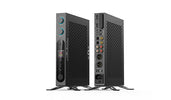
One example of a device that exposes filter choice is the FiiO K19: FiiO says its menu offers the DAC chip’s seven original filters. That tells you the setting exists on this product; it does not mean you need to buy the K19 to hear a useful difference, nor does it tell you which mode will be audible in your system. If you are comparing high-end desktop DAC/amps, check the FiiO K19 product page for current US availability and product details.

Some DACs also offer non-oversampling (NOS) and oversampling (OS) modes. These are related to digital conversion but are not simply synonyms for fast and slow roll-off. NOS changes whether the digital signal is oversampled and can produce a different frequency response and ultrasonic output. The implementation varies by architecture. See our NOS vs OS guide for the separate R2R use case, and our R2R vs delta-sigma explainer for how converter architectures differ.
Not as a universal rule. A particular slow filter may change response near the top of the audible band, but the effect depends on its measured response and whether you can hear it in your setup.
No. It describes a phase and impulse-response property. Noise, distortion and frequency response still depend on the complete DAC design.
Start with the default or a well-measured sharp filter. Then compare other settings at matched loudness if you are curious. Keep the mode that you prefer, or leave it alone if you hear no reliable difference.
Use EQ for intentional tonal correction. A reconstruction filter is not a replacement for a headphone EQ profile, and filter controls do not behave the same across DAC models.
DAC filters balance passband response, transition steepness, phase and impulse behavior while suppressing ultrasonic images. Those differences are real in engineering terms, but their audible importance varies with the exact implementation and may be small in normal listening. Start with the default, compare fairly if you want to explore, and make a change only when you prefer the result—not because a filter label promises a warmer or more detailed sound.